
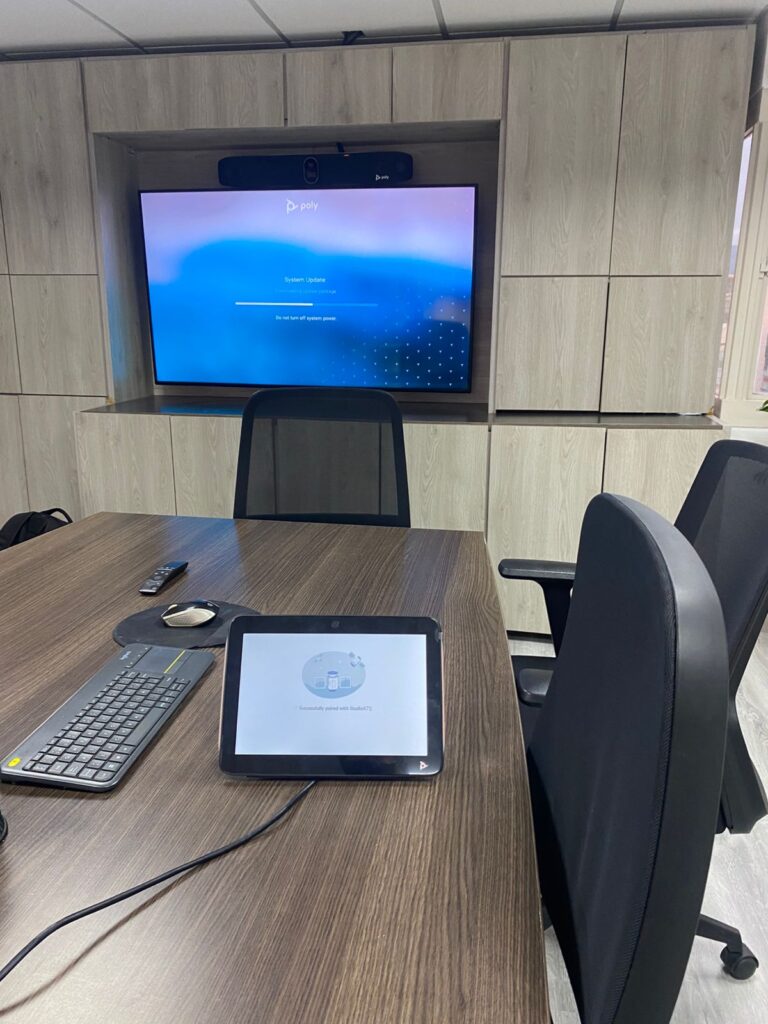
Video conferencing support that keeps your critical meetings running
Ensure continuity, stability, and a better meeting experience across your corporate rooms and platforms with specialized support for Zoom, Microsoft Teams, and Google Meet.
Ideal for: executive rooms, hybrid teams, multi-site operations, and environments where meeting failures directly impact the business.
What this service solves
We reduce friction in video conferencing operations with a clear, scalable support model: fewer disruptions, fewer recurring incidents, and more confidence for users, IT teams, and leadership.
Operational continuity
We handle incidents and configuration issues to keep key meetings active and reduce downtime.
Consistent experience
We standardize rooms, devices, and best practices so the experience remains predictable across every location.
Specialized management
We manage maintenance and updates and, in Enterprise, provide proactive monitoring and manufacturer warranty coordination.
Choose the right support level
Three common scenarios to help you decide. If your operation has specific requirements, we will guide you with a recommendation tailored to your context.
Essential
For 1 or 2 rooms with lower criticality and a need for primarily remote support.
Professional
For multiple rooms or sites that require broader coverage, operational guidance, and scheduled on-site support.
Enterprise
For high-criticality environments, executive rooms, and operations that require proactive management.
Support plans
A practical comparison to understand coverage, target response times, and support capacity. Scope and SLAs are adjusted based on city, site, and required service level.
| Essential | Professional | Enterprise | |
|---|---|---|---|
| Remote support and diagnostics | ✅ | ✅ | ✅ |
| On-site support | ❌ | ✅ | ✅ |
| Software management and updates | ✅ | ✅ | ✅ |
| Scheduled preventive maintenance | ❌ | ✅ | ✅ |
| Training and onboarding | Basic | Intermediate | Complete |
| Proactive monitoring and maintenance | ❌ | ❌ | ✅ |
| Manufacturer warranty management | ❌ | ❌ | ✅ |
| Target response time | Two business days | One business day | Same day / within the day |
| Remote support hours / week | 3 hours | 8 hours | 20 hours |
| On-site support hours / week | — | 3 hours | 8 hours |
| Extended-hours coverage | ❌ | ✅ | ✅ |
| Platform advisory and provisioning | ✅ | ✅ | ✅ |
Note: Exact scope, schedules, coverage, and SLAs are defined in the proposal or contract. The hours shown per week correspond to a support hour allocation based on the selected plan.
How it works
A simple process to activate the service with clear scope, defined expectations, and a fast transition toward more stable operations.

1) Assessment
We review rooms, locations, platforms, installed devices, and criticality level to identify risks, recurring failures, and priorities.

2) Proposal
We define the plan, coverage, support hour allocation, target response times, support channels, and escalation model for each site.

3) Activation
We complete onboarding, operational standardization, and service activation to keep your rooms running more consistently.
Frequently asked questions
What does the support cover?
It covers diagnostics, configuration, updates, operational guidance, and incident handling for rooms, devices, and platforms such as Zoom, Teams, and Google Meet, depending on the selected plan.
Does it include on-site support?
Yes. Professional and Enterprise plans may include on-site support, subject to geographic coverage, availability, and the conditions defined in the proposal.
What do you need to get started?
We need to know the number of rooms, cities or locations, primary platform, installed devices, and operating hours. Based on that, we define the scope and recommend the right plan.

Ready to stabilize your video conferencing operations?
Share your number of rooms, city, and primary platform, and we will help you define the most suitable plan and scope for your business.